-min.avif)
.avif)

Google has gone berserk. It doesn’t look like they are stopping anytime soon. Google is rolling out AI services as if it’s the end of the world. In fact, we are having a hard time keeping up with all the new AI advancements Google is sharing with the world. This time, it’s the upgraded version of Gemini. Google has almost perfected its AI game with Gemini 3 Pro. They have already zoomed past ChatGPT 5.1 with deep-thinking and thought-summaries models. It boosts vibe coding, true agentic autonomy, and, best of all, visual reasoning. Now, who’d have thought that an AI chatbot could do abstract visual problem-solving like spatial puzzles in one go!
Gemini 3 stands alone at the top after securing the highest scores on almost every major test. The model achieved a 37.5% result on Humanity’s Last Exam compared to just 26% from other providers. Its performance on ARC‑AGI 2 was even more impressive, jumping to 31.1% from its previous record of only 17%.
This tutorial shows you exactly how to use Gemini 3 Pro to build complex simulations, design interactive landing pages, and design landing sites with references. There will be 5 use cases of Gemini 3. We’ll show you how to access Gemini 3 Pro, write a tight prompt to describe the simulation you want to create, design interactive landing pages, use references to design pages and use one shot prompts to build simple ones.
By the end of this tutorial, you’ll be able to:
- Access Gemini 3 Pro
- Describe your simulation in context
- Design an interactive landing page
- Design a landing page with references
- Build simple landing pages
Let’s dive right into it!
Step 1 - Access Gemini 3 Pro
Gemini 3 is available worldwide where Google services are used. However, you must purchase a Pro account to get the most out of it.
Access the Gemini homepage and log in to your Pro account.
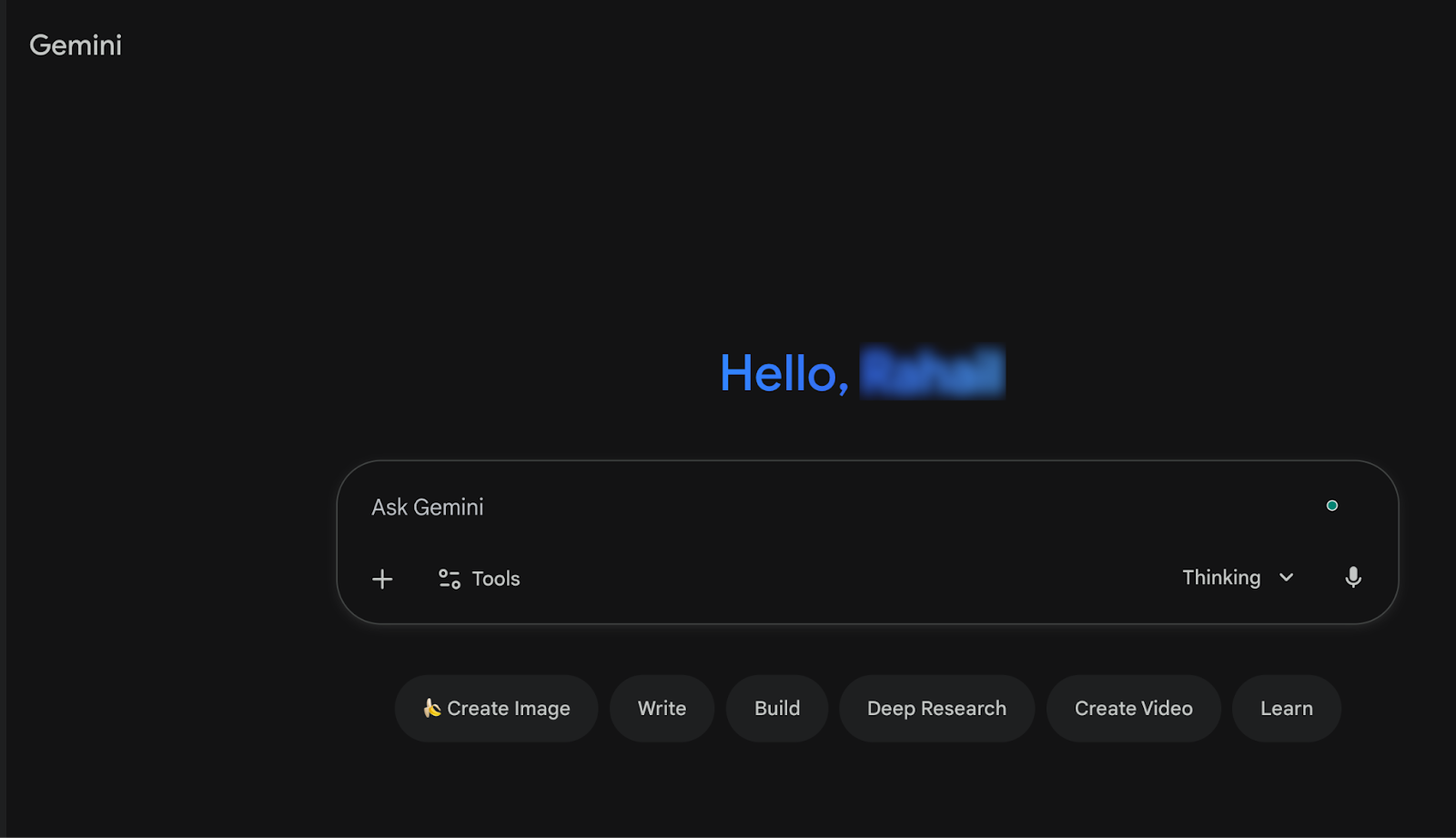
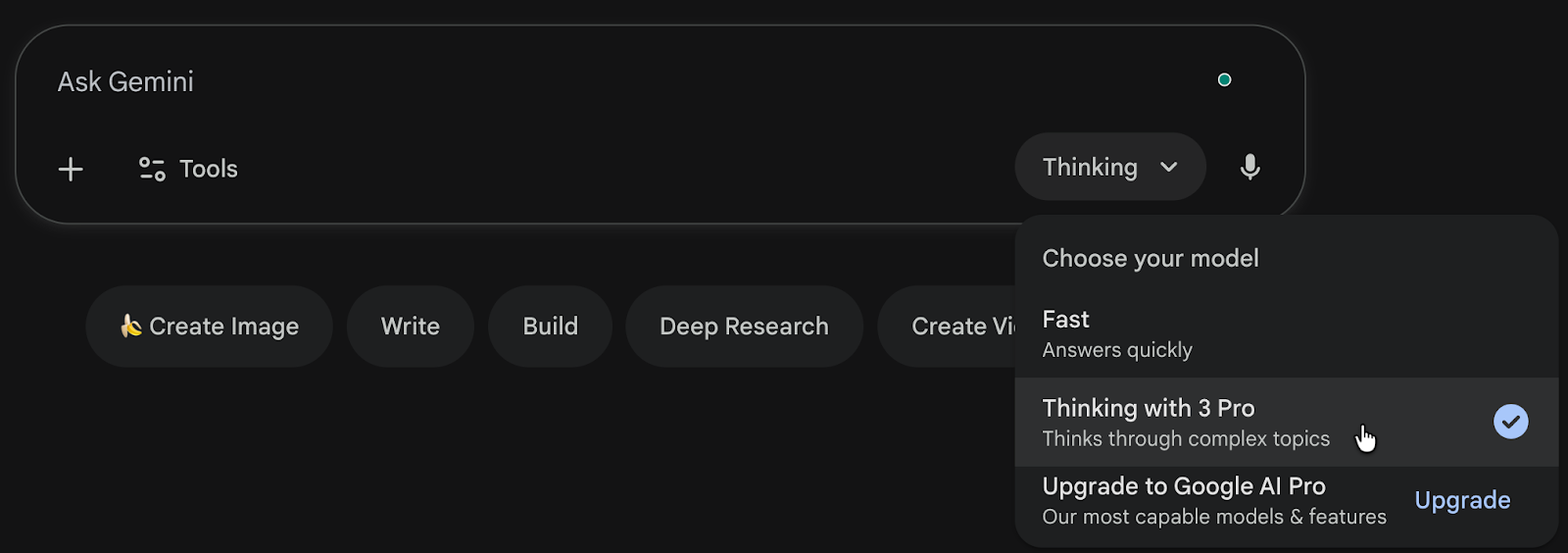
Click the model drop-down on the right side of the chat box. Choose ‘Gemini 3 Pro’ if you’re using a free account or ‘Deep Think’ if you have a Pro account and want an advanced performance.
Here, you can add a PDF or a document to help Gemini understand the context of your simulation. It’s optional. A prompt is enough to get Gemini 3 started.
Step 2 - Describe your simulation with a context.
Structure your prompt to ensure that you get the best results. The idea is to describe the simulation in structured detail so Gemini 3 can generate the best model. Even though it’s advanced enough to understand the simple prompts and generate amazing simulations. Start with the simple ones and gradually move to the complex prompts.
Prompt:
Build a 3D simulation of a quantum computer.
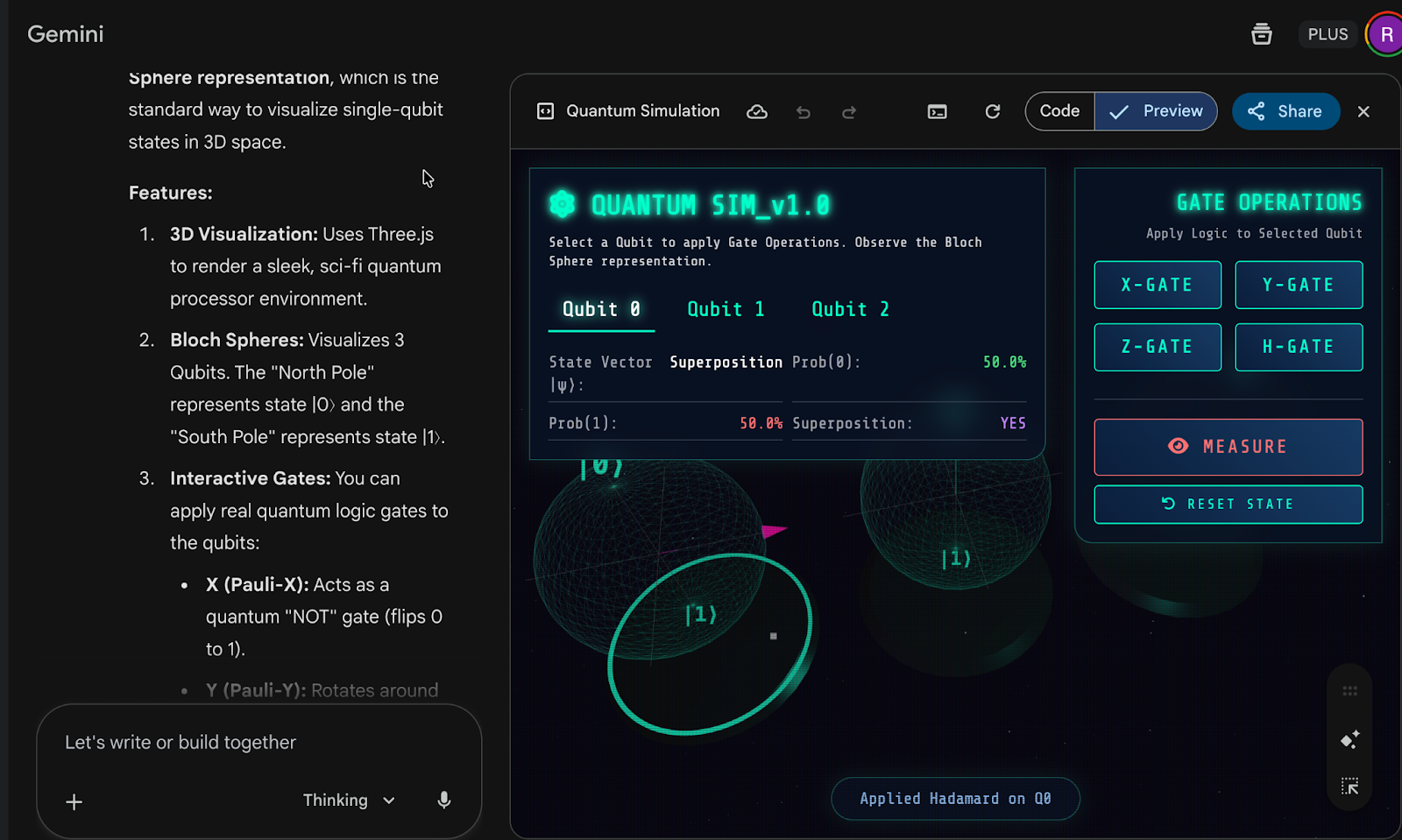
Gemini 3 created an amazing 3D simulation of a quantum computer in a single shot, following a simple prompt. That’s exceptional.
The simulation your Gemini created helps you understand the topic you want to learn. The quantum simulator gives you a live view of the first principles of quantum and what it looks like.
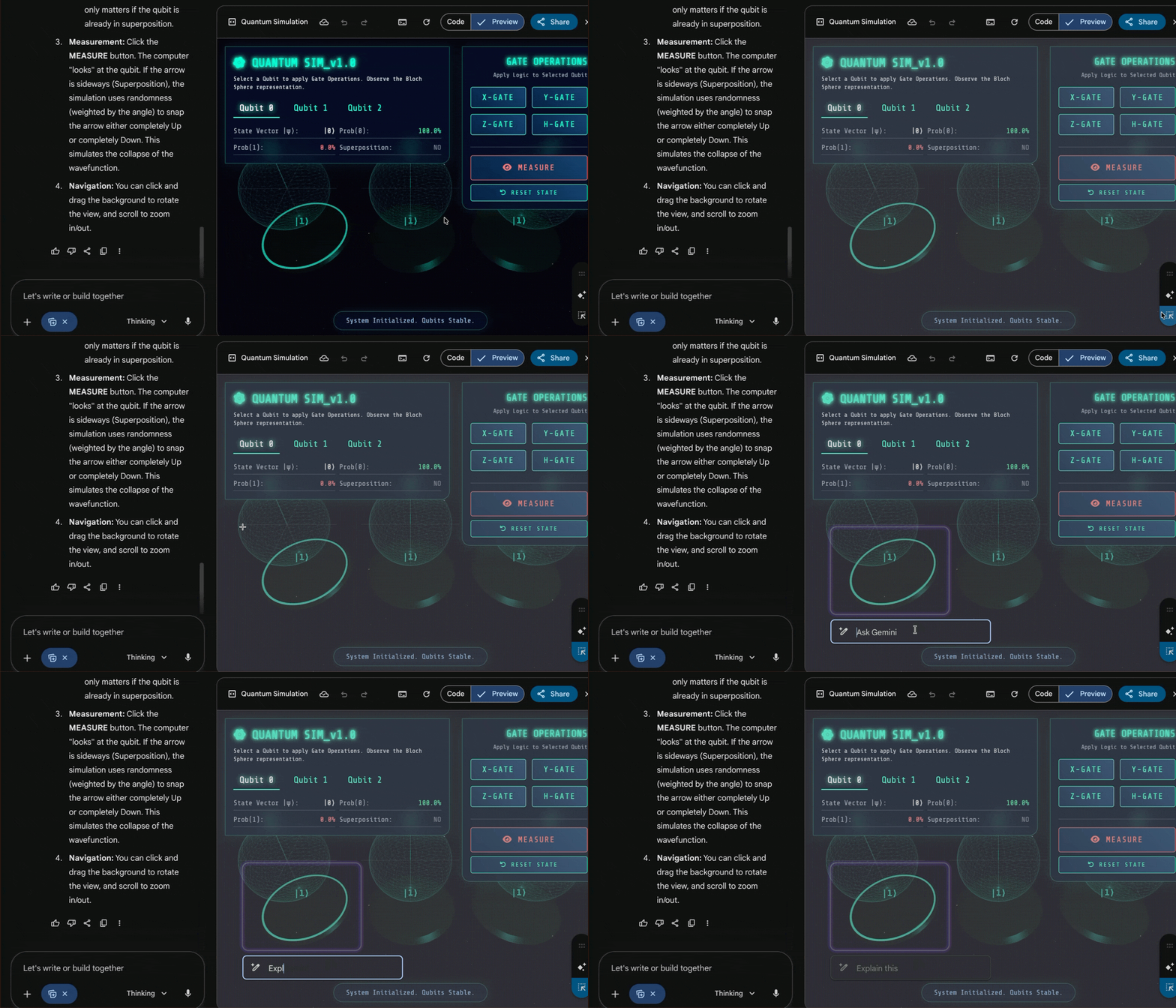
Review the output, and if you have any questions, select and ask Gemini to explain it in detail. This is an AI tutor feature that Google introduced in Gemini 3 Pro.
Click the ‘Ask’ button in the bottom right corner of the preview pane and draw a rectangle over anything you want Gemini to explain. Write ‘Explain this’ in the box and give it a go.
Design an interactive landing page.
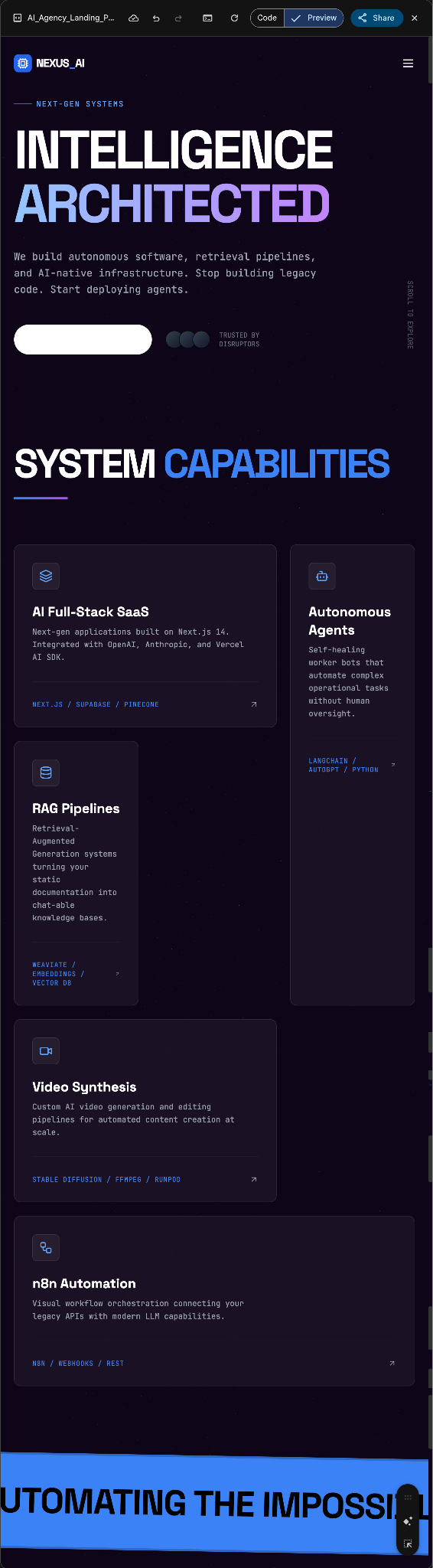
Designing interactive landing pages has never been easy. It takes months for designers to figure out the exact design language for the client. Now with Gemini 3, you can create an interactive page design instantly.
Let’s say you want to build a landing page for an AI software development agency. Write a prompt with details such as typography, visual and atmospheric design cues, motion, interactivity and layout.
Prompt:
You are an award-winning Creative Developer and UI/UX Designer known for building Awwwards-winning websites. You specialize in "AI-First" aesthetics using shaders, glassmorphism, and fluid motion to create interfaces that feel alive.
Task:
Build a high-performance, interactive landing page for an AI Software Development Agency using Next.js 14 (App Router), Tailwind CSS, Framer Motion, and React Three Fiber (for shaders).
Agency Services (Content):
The agency helps clients build:
- AI Full-Stack SaaS (Next-gen applications)
- AI Agents (Autonomous worker bots)
- RAG Pipelines (Retrieval-Augmented Generation)
- Custom Video Solutions (AI video generation/editing tools)
- Custom n8n Workflows (Advanced automation)
Design "Skill" & Guidelines (STRICT ADHERENCE REQUIRED):
Refusing generic "AI Slop" design patterns is your highest priority.
Typography (Crucial):
- DO NOT USE: Inter, Roboto, Open Sans, Segoe UI, or system defaults.
- USE: distinctive, technical fonts.
- Headings: Space Grotesk or Syne (Bold, tight tracking).
- Body: JetBrains Mono or DM Sans (Clean, legible, technical feel).
- Rule: Use extreme contrast in weights (Light 200 vs Black 800) and large size jumps (headings should be massive, body text distinct).
Visuals & Atmosphere:
- Backgrounds: Never use solid flat colors. Create "Atmosphere."[1] Use deep, dark voids (#030305) layered with radial gradients, mesh gradients, or subtle noise textures.
- Shaders: Implement a background shader (using React Three Fiber or a GLSL canvas) that reacts to mouse movement—think fluid smoke, digital waves, or a star field warp effect.
- Color Palette: Dark Mode focus. Deep Obsidian / Midnight Blue backgrounds with sharp, neon accents (Electric Blue # 3B82F6, Cyber Purple # 8B5CF6, or Acid Green). Use glowing box-shadows for cards.
Motion & Interactivity:
- Staggered Reveals: Do not fade everything in at once. Use Framer Motion to stagger the children elements (Title -> Subtitle -> Buttons).
- Scroll Animations: Elements should float up, blur-in, or scale up as the user scrolls.
- Micro-interactions: Buttons should have magnetic effects or liquid hover states. Cards should tilt (3D parallax) on hover.
Layout:
- Avoid standard Bootstrap/Centred layouts.
- Use Bento Grids (asymmetrical grid layouts) for the Services section.
- Use overlapping elements and negative space to create depth.
Implementation Plan:
- Header: A holographic glassmorphism navbar.
- Hero Section: massive typography, shader background, "Book a Call" button with a glowing border.
- Services (The Bento Grid): A responsive grid showcasing the 5 services mentioned above. Each card must have a unique icon (use lucide-react) and a hover effect that reveals technical details (e.g., "Python/LangChain" for AI Agents).
- Why Us: A section explaining the "AI First" approach using a comparison UI (Old Way vs. AI Way).
- Footer: massive interactive footer with a "let's build the future" marquee.
Technical Constraints:
- Use lucide-react for icons.
- Use framer-motion for all animations.
- Use clsx and tailwind-merge for class handling.
- Ensure the code is responsive (Mobile first).
Output:
Write the complete, functional code for the landing page (in React.js). If you need to split components, provide them in a logical order. Start by defining the shader component, then the UI components, then the main page assembly.
Design a landing page with references.
In fact, you can design landing pages with references. All you have to do is attach a couple of references you like, and Gemini will create a landing page based on them.
Let’s say you want to design a landing page for a biomedical startup that is doing research in genome editing and cloning.
Prompt:
I love the design and vibe of these 2 references:
https://mammoth.bio/ and https://www.arzeda.com/
Create a landing page for a biomedical startup that is doing research in genome editing and cloning. I want the top landing page to feature a minimalist 3D model related to genome cloning. It should be interactive. It should include a section on the company’s roadmap and vision.

That’s a fantastic landing page. What more can you ask? Gemini created an amazing landing page using the references we provided.
Build simple landing pages.
You can create all sorts of websites, webpages and other cool projects. Take an example of a homepage for a new company (newco).
Let’s say the new company sells gift baskets for tech-savvy professionals. Use the following prompt to draw inspiration. Please see that it’s just one prompt. Gemini 3 will create an entire homepage from a single prompt.
Prompt:
Build a fully functional homepage for an online business that sells gift baskets for tech-savvy C-suite executives. It’s called suitebaskets. Design a professional logo and add content to the page. Add product offer and a call to action. The homepage should include a 20% off for those who provide their email addresses.
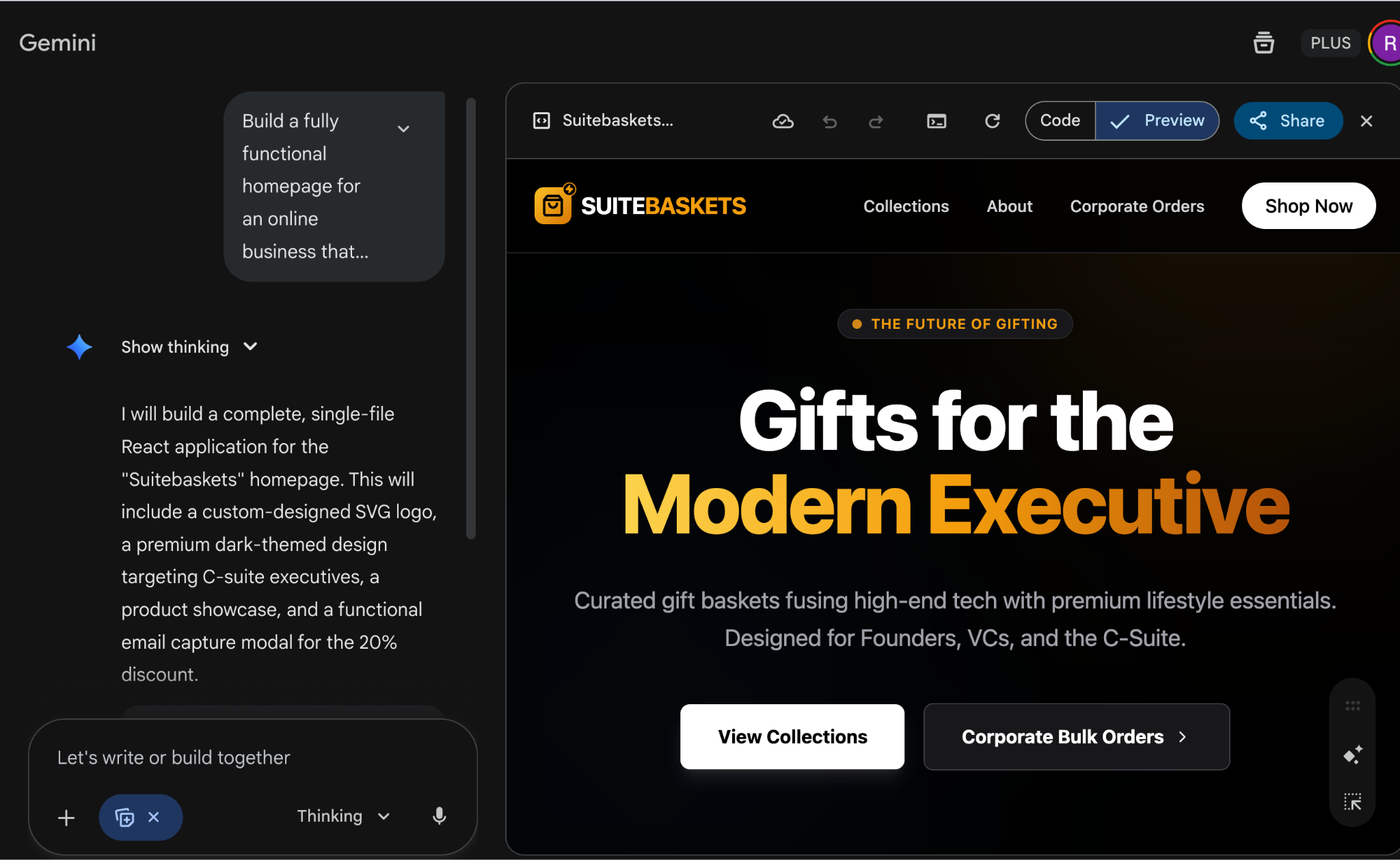
That’s an amazing homepage, Gemini 3 created with just a single prompt. How about we change the background color to something interesting?
Prompt:
Change the background color to a cool beige. Use the attached image for the exact color profile.
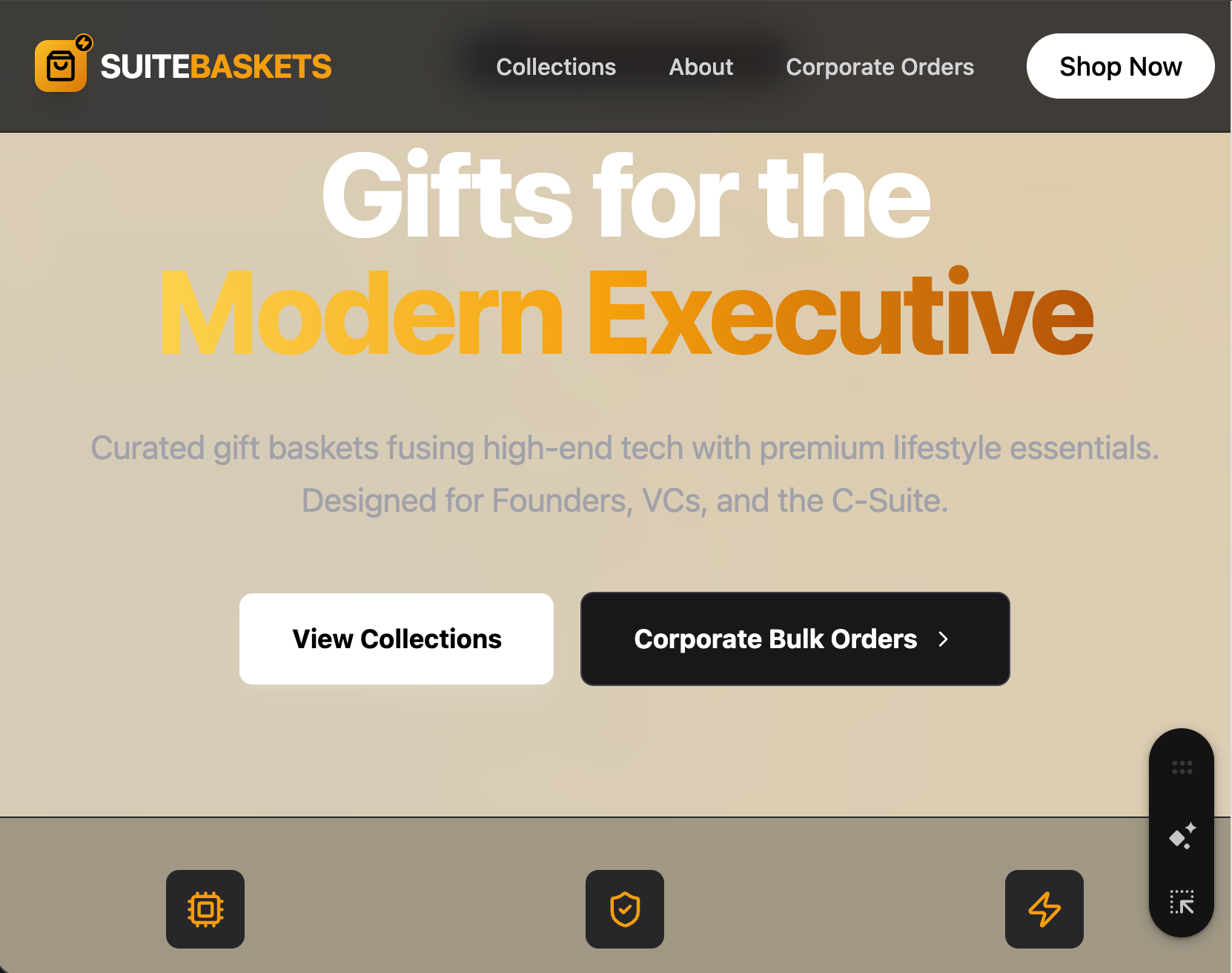
That looks super cool. You can copy the code and edit it in a code editor, or you can instruct Gemini 3 to create a final version of the homepage.
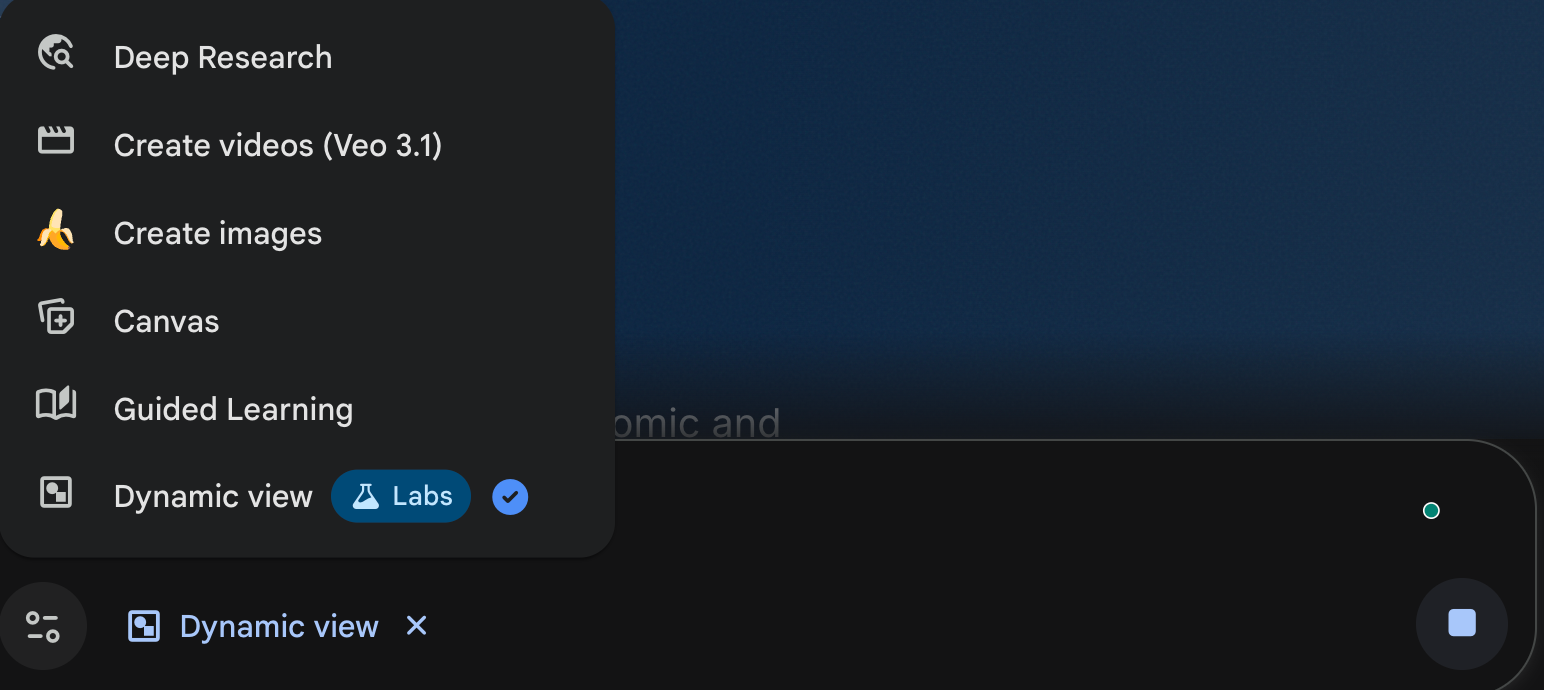
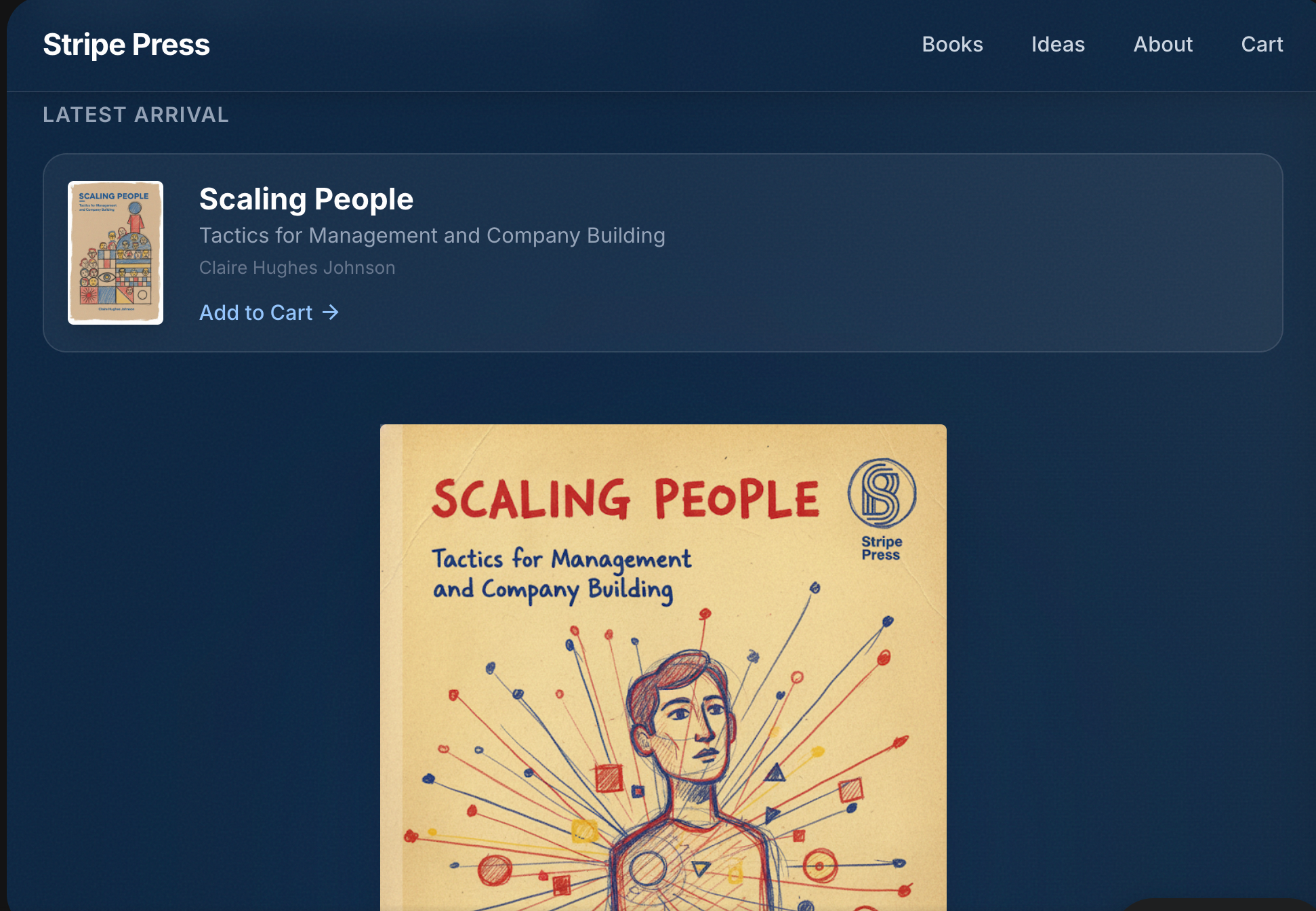
You can clone an existing site, such as Stripe Press, with just one prompt. Selecy ‘Dynamic view’ from the tools menu and use the following prompt.
Prompt:
Clone press.stripe.com/ for self-help books.
That’s it for this tutorial, AI technonauts! Gemini 3 Pro is a beast when you need to see tricky concepts, spin up internal tools, stunning landing pages or whip together a quick software prototype that looks way fancier than it should. But when it comes to writing anything longer than a grocery list, Gemini suddenly acts like it skipped English class all year.


.png)
