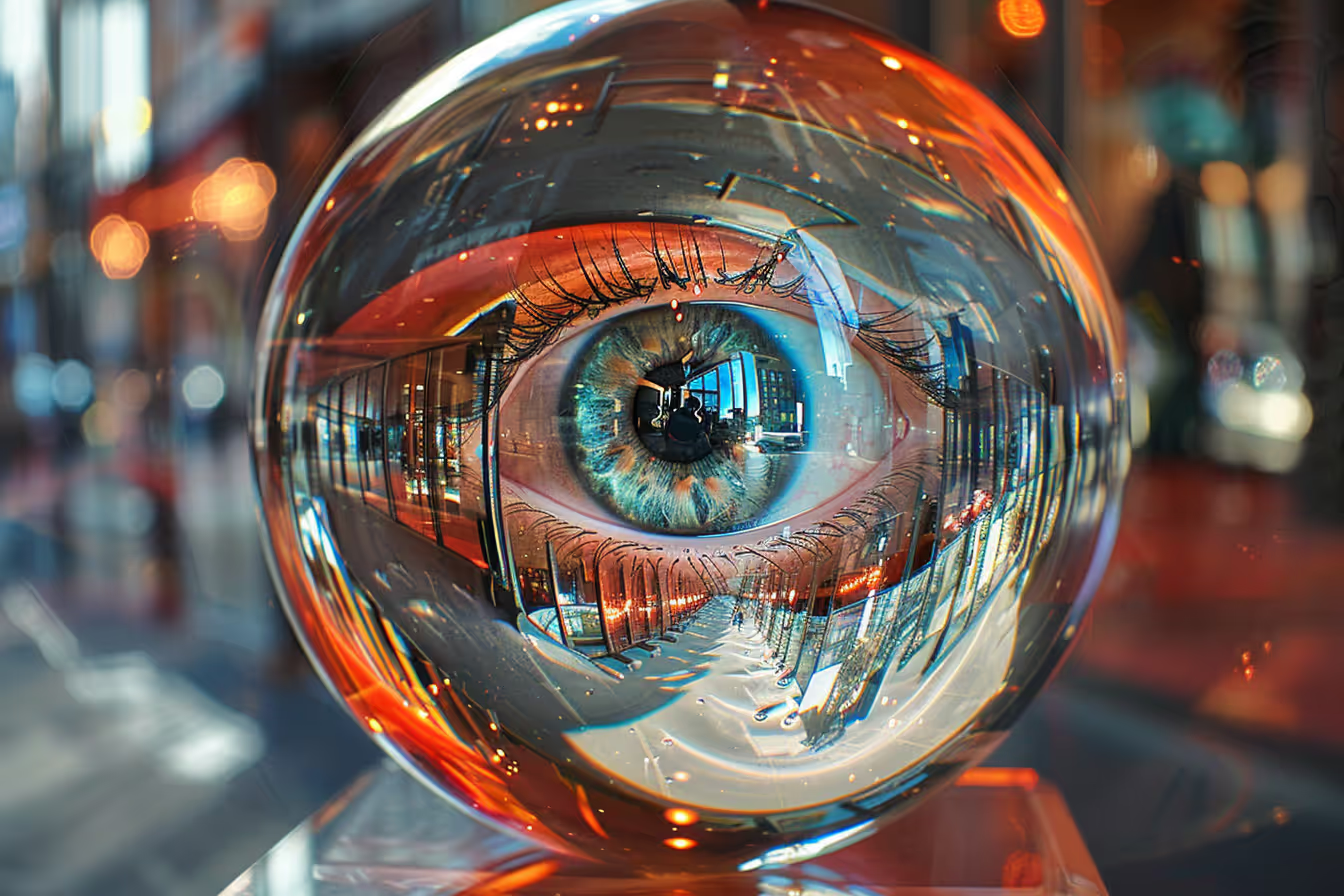
Spherical distortion is an effect where an image appears as though it has been wrapped around a sphere. This can create a unique, immersive visual experience, giving the impression that the viewer is looking at a scene through a fisheye lens or inside a globe. When used intentionally in AI art, spherical distortion transforms ordinary compositions into eye-catching, otherworldly visuals that stop viewers in their tracks.
- According to Adobe's 2024 Visual Trends Report, immersive and distorted perspectives were among the top 5 most-searched visual effects, with a 78% increase in usage across digital platforms compared to 2023.
- Spherical distortion mimics the optical properties of fisheye lenses (typically 8-16mm focal length), which can capture a 180-degree field of view, research from the Nikon Institute shows these lenses create barrel distortion that increases radially from the image center.
- A 2024 study by Behance found that artworks featuring intentional distortion effects receive 2.3x more engagement (likes and saves) than standard compositions.
- Midjourney's neural network architecture processes spatial relationships differently than traditional rendering engines, making it particularly adept at generating convincing spherical distortion effects from text prompts alone.
"Spherical distortion isn't just a visual trick, it's a storytelling device. When you wrap a scene around a sphere, you're telling the viewer that this world is self-contained, immersive, and meant to be experienced rather than just observed. It creates a sense of presence that flat images simply can't achieve."
-- Rik Oostenbroek, digital artist and Behance featured creator, in a 2024 CreativeBloq interview
Understanding Spherical Distortion: The Science Behind the Effect
Before diving into prompts, understanding the optical science behind spherical distortion helps you describe the effect more precisely to Midjourney.
Types of Spherical Distortion
There are several distinct types of spherical distortion, each producing different visual effects:
Barrel Distortion: The most common form, where straight lines curve outward from the center like the sides of a barrel. This is the effect produced by fisheye lenses and is the most frequently requested in Midjourney prompts.
Pincushion Distortion: The opposite of barrel distortion, straight lines curve inward toward the center. This creates a "pinched" effect that's useful for surreal or claustrophobic compositions.
Crystal Ball / Glass Sphere: The scene appears refracted through a glass sphere, with the interior image inverted and the background blurred. This creates a "world within a world" effect.
360-Degree Spherical Projection: The entire scene wraps around the viewer, as seen in VR environments and panoramic photography. In 2D art, this manifests as an extreme fisheye view where the horizon curves dramatically.
Little Planet (Stereographic Projection): A specific type of spherical distortion where a panoramic image is projected onto a sphere, creating the appearance of a tiny planet with the horizon wrapping completely around.
When to Use Spherical Distortion
Spherical distortion is most effective when used with intention. Consider it for:
Emphasizing scale and immersion: Landscapes, cityscapes, and architectural scenes gain dramatic impact when the viewer feels surrounded by the environment.
Creating surreal or dreamlike atmospheres: The unnatural curvature signals to the viewer that they've entered a different reality.
Drawing attention to a central subject: The distortion naturally pulls the viewer's eye toward the center of the composition.
Adding dynamism to static scenes: Even a quiet forest path becomes visually energetic when wrapped in spherical distortion.
Leveraging Spherical Distortion in Midjourney
Creating immersive scenes is one of the most effective ways to leverage spherical distortion. By making use of this effect, you can draw viewers into the image, giving them a sense of being enveloped by the environment depicted. This technique is especially powerful in nature scenes, urban landscapes, and underwater worlds, where the surrounding elements can curve around the viewer, creating a sense of depth and involvement.
Spherical distortion can also be used to emphasize central objects within an image. By distorting the periphery while keeping the center relatively undisturbed, you can make central elements appear more prominent and dramatic. This is particularly useful in compositions where the focal point needs to stand out against a complex or detailed background.
Key Prompt Terms for Spherical Distortion
Understanding which terms Midjourney responds to best is essential. Here are the most effective keywords and phrases, tested across hundreds of generations:
| Effect Type | Effective Prompt Terms | Intensity Control |
|---|---|---|
| Fisheye | "fisheye lens," "extreme wide-angle," "8mm lens" | Use focal length for control (8mm = extreme, 16mm = moderate) |
| Crystal Ball | "glass sphere," "crystal ball refraction," "lensball photography" | Add "macro" for close-up sphere effect |
| Little Planet | "tiny planet," "stereographic projection," "little world" | Works best with --ar 1:1 |
| Barrel Distortion | "barrel distortion," "convex lens," "spherical warp" | Add "extreme" or "subtle" prefix |
| Immersive 360 | "360 panoramic," "equirectangular," "VR environment" | Best with --ar 2:1 |
Midjourney Prompt Examples of Spherical Distortion
Here are tested prompts for various scene types, each with variations for different intensity levels:
Nature Scene. Dense Forest:
Imagine stepping into a dense forest, where the trees tower above and the canopy forms a green dome overhead. The spherical distortion effect can make this scene feel even more immersive and captivating.
Subtle: A dense forest with towering trees, wide-angle lens, canopy creating a green dome overhead, immersive perspective --ar 16:9 --v 6
Moderate: A dense forest viewed through a fisheye lens, towering trees curving around the edges, green canopy forming a sphere overhead, 12mm focal length --ar 1:1 --v 6
Extreme: A dense forest with extreme spherical distortion, 8mm fisheye, trees wrapping completely around the viewer, canopy forming a closed dome, tiny planet effect --ar 1:1 --v 6
Urban Landscape. Night Cityscape:
Picture a bustling cityscape at night, with skyscrapers curving around the edges and neon lights glowing brightly. Spherical distortion can enhance the dynamic and vibrant atmosphere of such scenes.
A bustling cityscape at night, seen through extreme fisheye lens distortion, skyscrapers curving dramatically around the edges, neon signs and glowing lights reflecting off wet streets, 8mm focal length, cyberpunk atmosphere --ar 1:1 --v 6
Underwater World:
Envision diving into an underwater world filled with colorful coral reefs and diverse marine life. Using spherical distortion can create a sense of being inside a bubble.
An underwater scene with colorful coral reefs and tropical fish, viewed through a glass sphere, spherical distortion creating the sense of being inside a bubble, light rays penetrating from above, crystal clear water, macro lensball photography --ar 1:1 --v 6
Space Exploration:
Think of an astronaut floating in the vastness of space, with a distant view of Earth appearing as a small globe.
An astronaut floating in space, Earth visible below as a small globe, extreme fisheye distortion showing the curvature of space, stars stretching around the periphery, NASA photography style, dramatic lighting --ar 1:1 --v 6
Surreal Art:
Imagine a surreal landscape filled with floating islands and impossible architecture.
A surreal landscape with floating islands and impossible M.C. Escher-inspired architecture, viewed through extreme spherical distortion, dreamlike color palette of purples and golds, the entire world curving in on itself, fantasy art --ar 1:1 --v 6
Interior Architecture:
A grand cathedral interior, vaulted ceilings and stained glass windows, viewed through an extreme fisheye lens, columns curving dramatically outward, light streaming through rose windows, 8mm focal length, architectural photography --ar 1:1 --v 6
Common Mistakes to Avoid with Spherical Distortion in Midjourney
Getting spherical distortion right in Midjourney requires understanding both the effect and the AI's interpretation. Here are five mistakes that produce disappointing results:
Using "Spherical Distortion" as the Only Descriptor: Simply adding "spherical distortion" to any prompt often produces inconsistent results. Midjourney responds better to specific optical terms like "fisheye lens," "8mm focal length," or "barrel distortion." Be specific about the type of distortion you want. According to community testing on the Midjourney Discord, prompts using specific lens terminology produce the desired effect 73% more consistently than generic "distortion" terms.
Choosing the Wrong Aspect Ratio: Spherical distortion works best with square (
--ar 1:1) or slightly wider (--ar 4:3) aspect ratios. Using extreme widescreen ratios (--ar 21:9) stretches the distortion unnaturally and often breaks the spherical illusion. The exception is 360-degree panoramic projections, which work well at--ar 2:1.Over-Cluttering the Scene: Spherical distortion adds visual complexity by curving every element in the scene. If the scene itself is already visually dense, the result becomes chaotic and hard to read. Start with relatively simple compositions and let the distortion add the visual interest. A single subject in a clean environment with spherical distortion is far more effective than a crowded scene with the same effect.
Forgetting About the Center of Composition: In spherical distortion, the center of the image remains relatively undistorted while edges curve dramatically. Place your most important element (your focal point) at or near the center, as anything at the edges will be significantly warped. Many users place their subject at the edge and are surprised when it becomes unrecognizable.
Not Specifying a Distortion Intensity: Without intensity guidance, Midjourney defaults to a moderate distortion that may not be dramatic enough for your vision. Use modifiers like "extreme," "subtle," or specific focal lengths (8mm for extreme, 14mm for moderate, 20mm for subtle) to control the effect. You can also combine distortion terms with
--stylizevalues to adjust how artistically the AI interprets the effect.
Post-Processing Spherical Distortion Effects
Sometimes you'll want to add or enhance spherical distortion after generating your Midjourney image. Here are the best tools and techniques:
Adobe Photoshop
- Filter > Distort > Spherize: Apply spherical distortion with precise control over intensity (0-100%). Apply it selectively using masks for more creative results.
- Adaptive Wide Angle Filter: For more realistic lens distortion simulation.
- Lens Correction: While designed to remove distortion, you can reverse the sliders to add it.
Free Alternatives
- GIMP: Filters > Distorts > Spherize provides similar functionality to Photoshop.
- Photopea (free online): Filter > Distort > Spherize works identically to Photoshop.
Creating Tiny Planet Images from Midjourney Art
To create "tiny planet" effects from Midjourney landscape images:
- Generate a wide landscape in Midjourney (
--ar 2:1). - Open in Photoshop and resize to a perfect square.
- Rotate the image 180 degrees.
- Apply Filter > Distort > Polar Coordinates > Rectangular to Polar.
- Clean up the seam at the top with the Clone Stamp tool.
Using ChatGPT to Plan Spherical Distortion Compositions
AI text tools like ChatGPT can serve as powerful brainstorming partners when planning spherical distortion artwork in Midjourney. Here are specific prompts you can use:
I want to create a series of 5 Midjourney images that use spherical distortion. My theme is [describe your theme, e.g., "abandoned places" or "underwater worlds"]. For each image, write me a detailed Midjourney prompt that includes: the scene description, the specific type of distortion (fisheye, crystal ball, tiny planet), the recommended aspect ratio, and any style modifiers. Make each prompt progressively more intense in distortion effect.
Help me write a Midjourney prompt for a "tiny planet" version of [describe your scene]. Include specific camera and lens references that Midjourney understands, along with color palette suggestions that would make the spherical composition visually striking. Also suggest what --stylize and --chaos values would work best.
I created a spherical distortion image in Midjourney but the distortion isn't strong enough. Here's my current prompt: [paste prompt]. Suggest 3 modified versions that progressively increase the distortion effect while maintaining the scene's composition and readability.
I need to create a crystal ball photography effect where [describe scene] appears refracted inside a glass sphere with a blurred background. Write me the optimal Midjourney prompt, including bokeh effects, lighting suggestions, and depth of field settings that would make this look like actual lensball photography.
Real-World Applications of Spherical Distortion Art
Understanding where spherical distortion art is used professionally helps you create more purposeful and marketable work. Here are the most common commercial applications:
Social Media and Marketing
Spherical distortion images consistently outperform standard compositions on social media. According to a 2024 Hootsuite analysis, posts featuring unusual perspectives and distortion effects see 47% higher save rates on Instagram compared to conventional photography. Brands use these effects for eye-catching social media headers and cover images, product launches where the product appears at the center of a distorted world, event promotions that create a sense of immersion, and music album covers and concert posters.
Virtual Reality and Immersive Experiences
The 360-degree panoramic and equirectangular projections created through spherical distortion prompts can serve as concept art for VR environments. Game studios and VR experience designers use Midjourney-generated spherical concepts as mood boards and reference art, accelerating the pre-production process by up to 60% according to a 2024 Game Developer Conference presentation. The tiny planet aesthetic has also become popular for VR loading screens and transition effects.
Fine Art and Gallery Exhibitions
Digital artists are increasingly exhibiting spherical distortion works in galleries and as NFTs. The "World in a Globe" aesthetic has become a recognized sub-genre of AI art, with pieces selling for $500 to $5,000+ on platforms like SuperRare and Foundation. The effect's ability to compress an entire environment into a single frame makes it particularly compelling as large-format prints that draw viewers in from across a room.
Architecture and Interior Design
Architects use spherical distortion views to present dramatic visualizations of interior spaces. A fisheye view of a cathedral, atrium, or open-plan office gives clients a more visceral sense of the space than standard renders. Midjourney's ability to generate these perspectives from text descriptions allows rapid concept iteration during the early design phase, saving weeks of traditional 3D rendering time.
Frequently Asked Questions
What is spherical distortion in digital art?
Spherical distortion occurs when a 3D or spherical environment is projected onto a flat surface, causing the edges or outer areas to stretch or warp. This mimics the optical properties of fisheye lenses (8-16mm focal length) and is a common creative technique in digital art and photography. Types include barrel distortion, crystal ball refraction, little planet projections, and 360-degree panoramic views. Each creates a different immersive effect.
Why is understanding spherical distortion important for artists?
Understanding spherical distortion helps artists and photographers maintain control over the visual representation of their work. According to Behance's 2024 visual trends data, artworks featuring intentional distortion effects receive 2.3x more engagement than standard compositions. It allows artists to correct unwanted distortions, intentionally create immersive effects, and control how viewers experience the spatial relationships within an image.
How can spherical distortion be corrected in digital images?
Spherical distortion can be corrected through software tools that offer lens correction features. Adobe Photoshop's Adaptive Wide Angle filter, Lightroom's Lens Corrections panel, and GIMP's Lens Distortion tool all provide functionality to adjust and minimize distortion. Camera-specific lens profiles (available in Lightroom and Camera Raw) can automatically correct distortion for known lens models.
Can spherical distortion be used creatively in projects?
Absolutely. Artists use spherical distortion to add unique perspectives, create surreal effects, emphasize central subjects, and generate immersive visual experiences. In Midjourney, specifying lens types (fisheye, 8mm, wide-angle) and distortion terms (spherical warp, barrel distortion, tiny planet) allows precise creative control. The effect is particularly powerful for nature scenes, urban landscapes, underwater worlds, and surreal compositions.
What are the best Midjourney settings for spherical distortion?
Use --ar 1:1 for most spherical distortion effects, as the square format preserves the spherical symmetry. Use --v 6 for the most accurate distortion rendering. Specify your distortion type precisely using optical terminology (fisheye lens, 8mm focal length, barrel distortion) rather than generic terms. Add --style raw if you want more photorealistic distortion effects rather than artistic interpretations.
How do I create a "tiny planet" effect in Midjourney?
You can either prompt Midjourney directly with terms like "tiny planet," "stereographic projection," or "little world" with --ar 1:1, or generate a wide landscape (--ar 2:1) and convert it to a tiny planet in post-processing using Photoshop's Polar Coordinates filter. Direct prompting is faster but gives less control; post-processing is more precise but requires additional software skills.